Comprehensive guide on how to synchronize your Amazon Ads
Synchronize Amazon Ads
warning
Amazon only retains data for up to 60 days back, meaning that historical data beyond this timeframe may not be accessible.
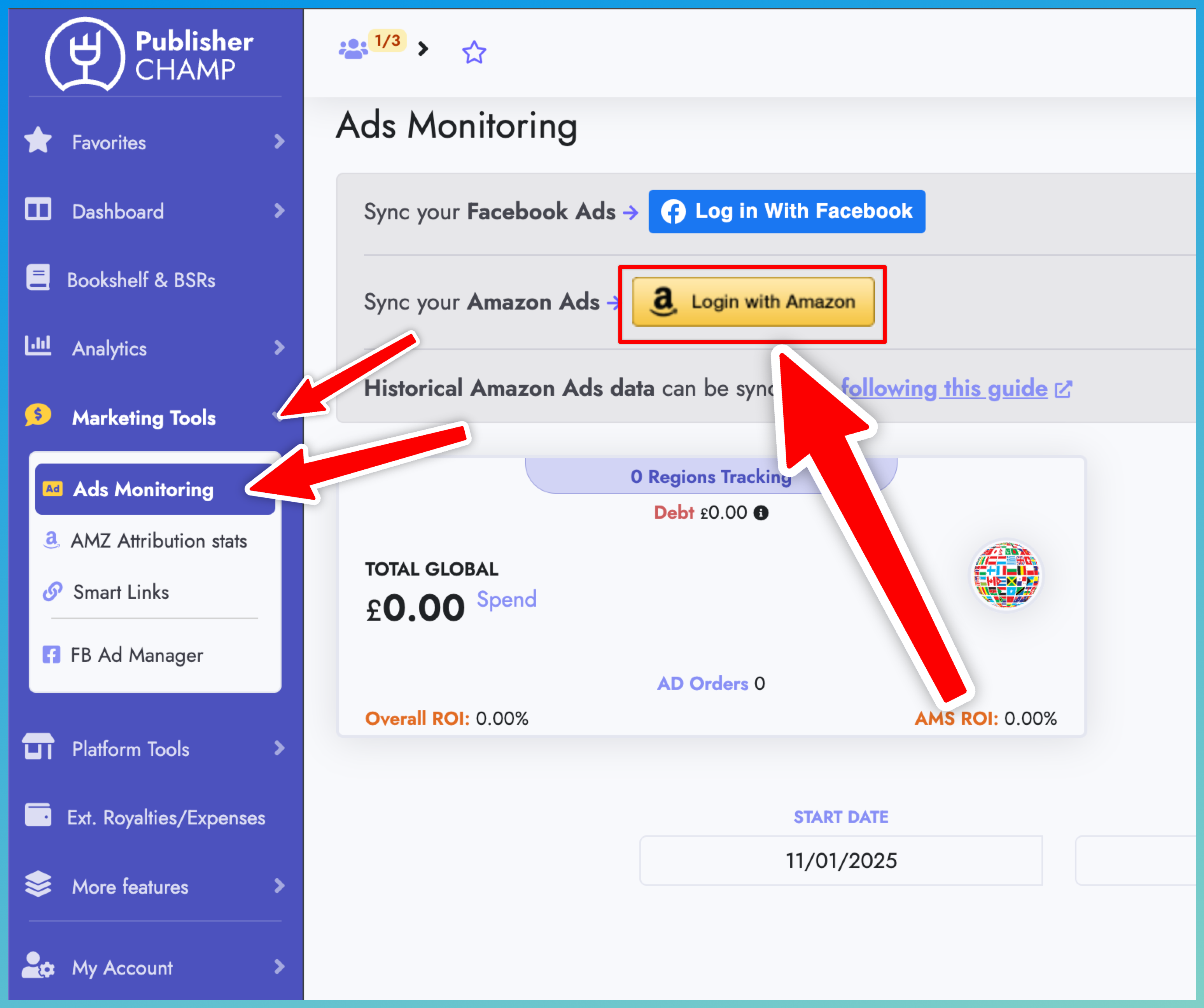
1. Click the "Login with Amazon" button
- Go to the Ads Monitoring page
- Find the yellow "Login with Amazon" button
- Click the button
important
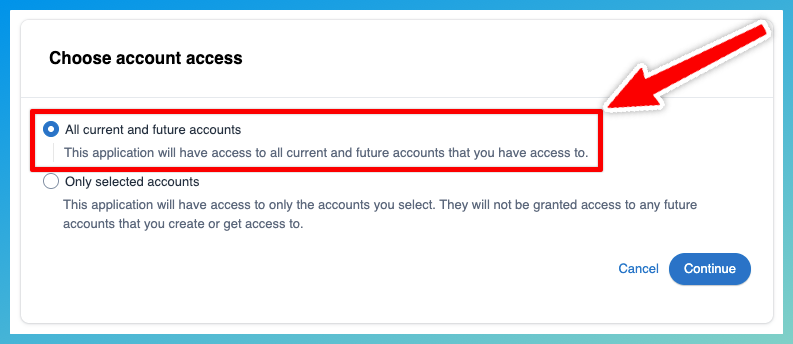
2. Choose the correct account access
- Make sure you select: All current and future accounts
- This ensures that all data and country spending is retrieved completely and without any interruptions.
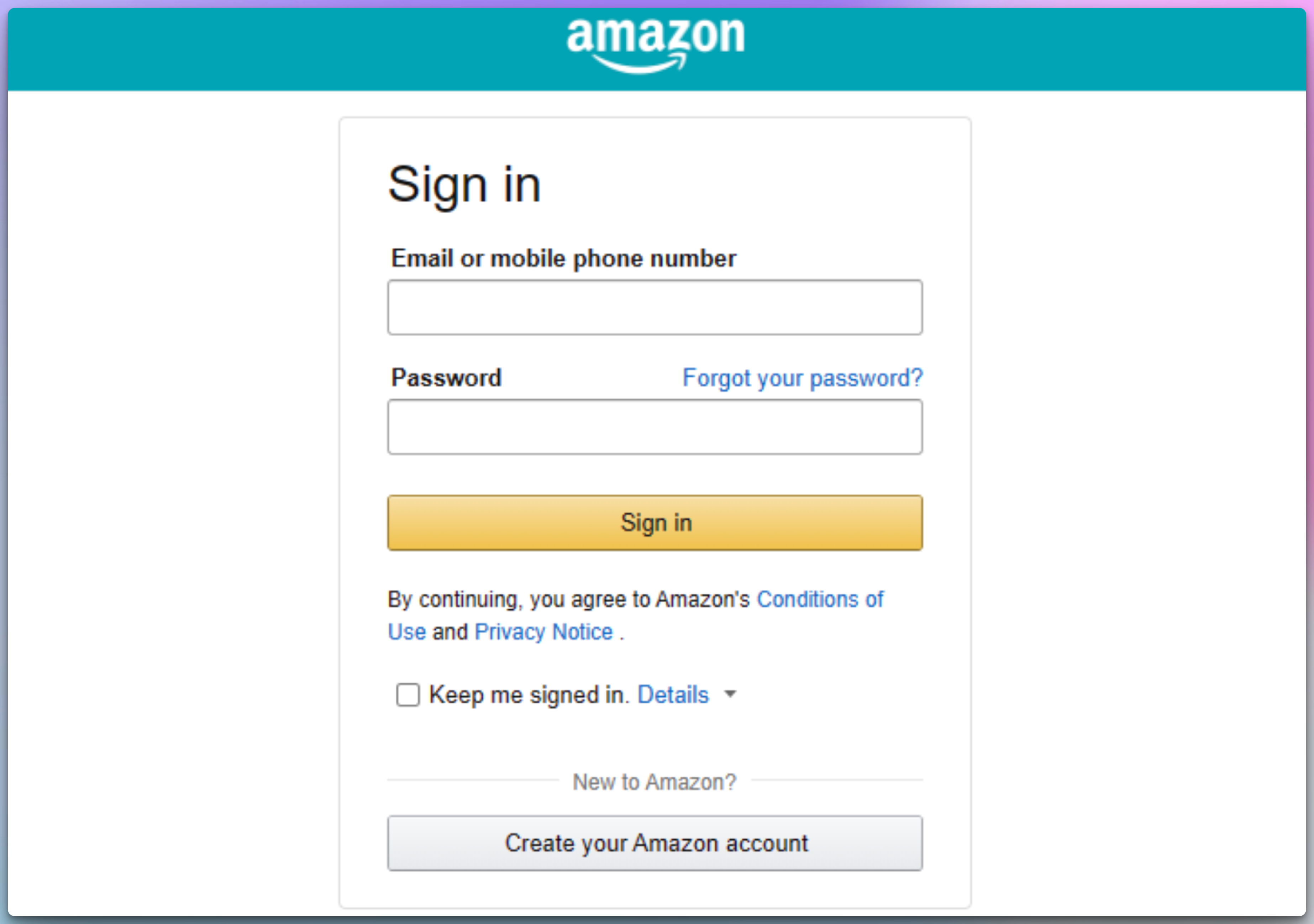
3. Login using your Amazon Ads credentials
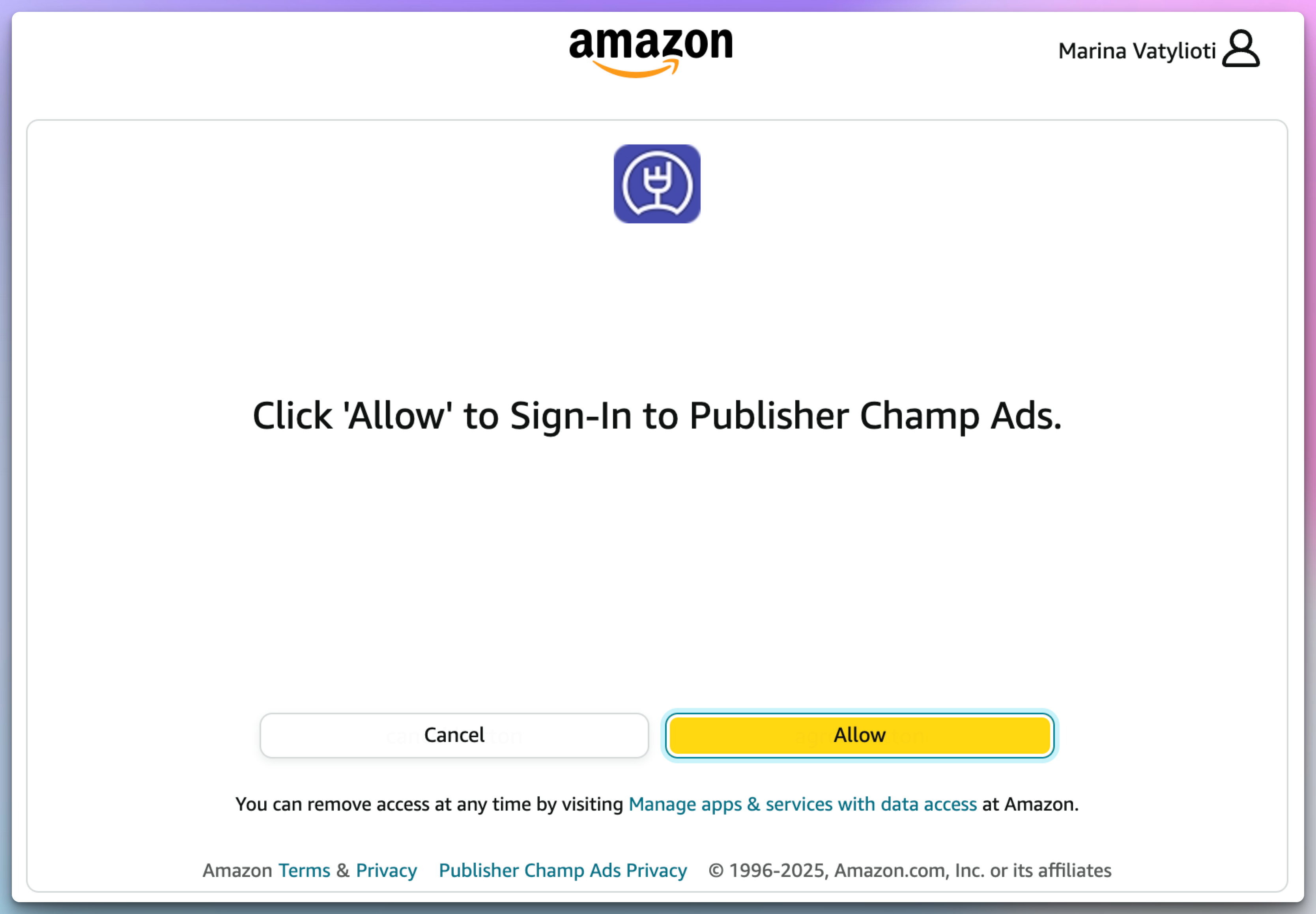
4. Click Allow
-
By clicking allow, you are authorizing Publisher Champ to access your Ads data via Amazon Ad's public API
-
You should be redirected to our Ads Monitoring page and we can now start pulling your Ads Data
5. Select accounts to track
- After you do the above steps, the "Manage Amazon Ad accounts" button will appear on the Ads monitoring page.
- Click the button and select the Amazon Ad accounts you want to track
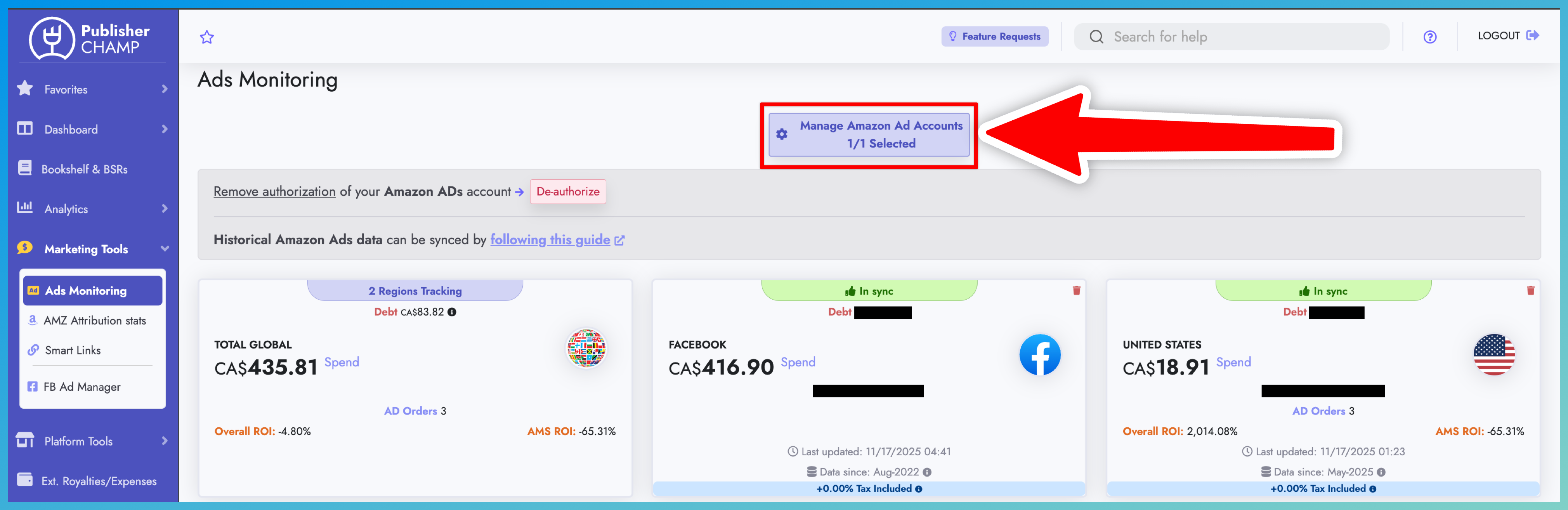
Some countries are not available or data not updated?
- If you do not see some of your Amazon advertising countries available to select or your data have not update for more than 24 hours, then there is a very high chance that Amazon got stuck and you might need to follow the steps bellow to get it unstuck.
Steps to get your Amazon ads back in sync
- Go to the Ads Monitoring page
- Find the red "De-authorize" button
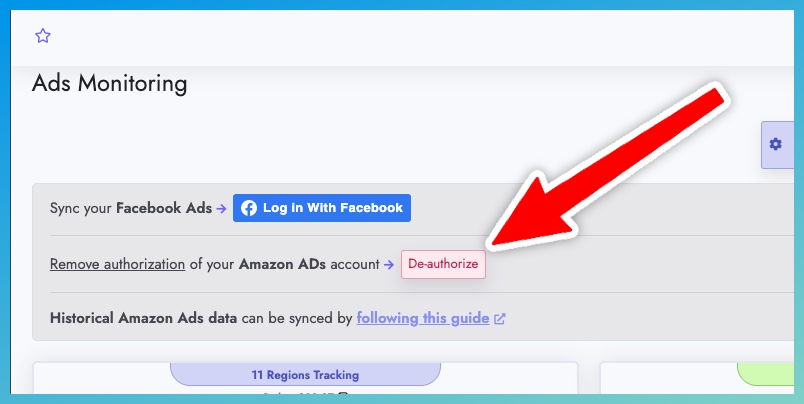
- Click the red button
- Follow the guide on this page from the very top from here
important
- After you follow our guide to sync your Amazon Ads again, please allow 4-6 hours for Amazon to catch up and then return to the Ads Monitoring page to select any missing countries or see if your spending data updated correctly.
- If the data are still not updated after 4-6 hours, please reach out to us to assist you!