Comprehensive guide on how to synchronize your platforms
Use this workflow to connect Amazon KDP or another supported platform to Publisher Champ. In the sidebar, expand Platform Tools and open Connected Platforms. You can also open Help → Sync your data.
1. Click the button at the top of your Dashboard page or go directly here
tip
When a platform is out of sync, the dashboard sync indicator shows Out of sync. Click it to open your connected platforms. Other pages show a Sync data link in the sync banner.

2. Install our extension to your browser

3. Find your platform and start syncing
Use Find a platform to search by name, or use the All, Favorites, Out of sync, Never synced, and In sync filters. Each card shows its sync status.
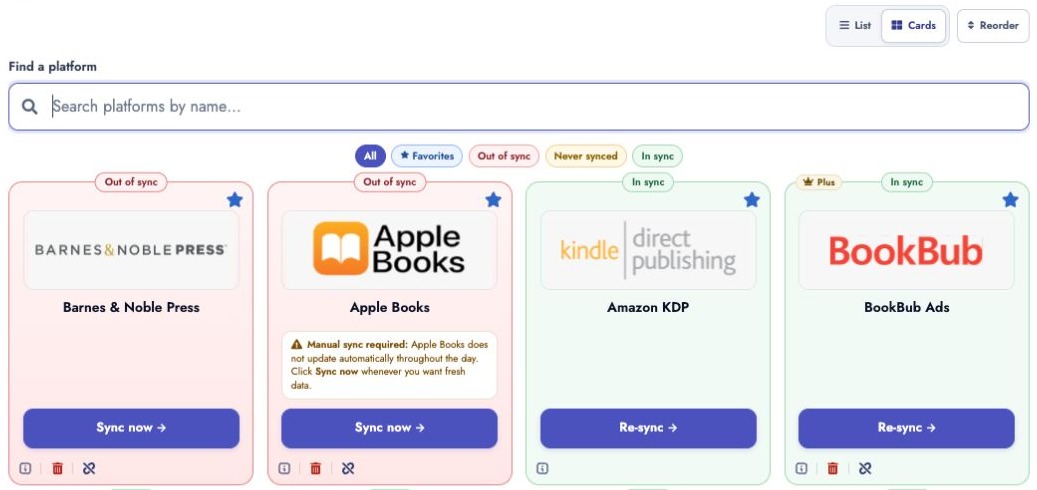
- Click Start sync for a platform you have never connected, Sync now for an out-of-sync platform, or Re-sync to refresh an existing connection.
- If a card has a Show setup button, open it to enter or edit the required account details first. Other platforms may show Open setup or Edit setup.
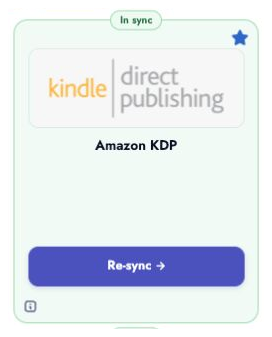
- For example, search for Amazon KDP and click Start sync on your first connection, or Re-sync if it is already connected. Follow the login instructions, then return to Publisher Champ while your data synchronizes.
4. Repeat the process for all other platforms
- You can repeat the same process for any other platforms you want to synchronize