How to analyze your Book Series
Before you analyze: check the series order
The order displayed on Series Stats comes from the editable Series Name and Number In Series saved in Publisher Champ. If books are missing, in the wrong order, or share the same number, correct them on the Bookshelf & BSRs page.
You can click the yellow pencil button beside an individual book's ASIN to edit its series and number, or use Bulk update to correct several rows at once. See the Bookshelf & BSRs guide and the bulk title metadata guide.
These Publisher Champ edits control the order used in Series Stats and its Sell-Through, Read-Through, and Royalties per Reader calculations. They do not change the public reading order shown on Amazon.
Analyze connected series with Universe mode
Use Universe mode when readers are expected to move between connected series: for example, from an original trilogy into a longer sequel series, or from a parent series into a spin-off.
- Open Analytics → Book Series Stats.
- Under Analysis mode, select Universe.
- Choose one or more series from Series in this universe.
- Drag the selected series into the intended reading order.
- Select Apply filters.
Publisher Champ keeps the saved book order inside every series, then joins the series in the order you chose. If the order is Original Trilogy → Continuing Adventures, the progression becomes:
Original Trilogy #1 → #2 → #3 → Continuing Adventures #1 → #2 → …
The first column of the results identifies both the universe step and the book's original series position. At a series boundary, Sell-Through compares units for the first included book of the new series with the last included book of the preceding series. Read-Through makes the equivalent comparison using estimated full reads. Cumulative metrics continue to compare against the first included book in the whole universe journey.
The order is an analysis choice for the current view. It does not rename a series, move books between series, or alter Bookshelf metadata. You can still temporarily exclude individual rows; the next included book is then compared with the previous included book across the combined journey.
Why Universe mode is useful
- Measure the hand-off from a completed series to its sequel or spin-off.
- Find a weak transition that is hidden when each series is viewed separately.
- Compare whether readers follow the intended reading path across a shared story world.
- Estimate Royalties per Reader and revenue across the complete connected catalogue rather than stopping at the end of the first series.
- Test different recommended reading orders without changing permanent book metadata.
Universe metrics use aggregated sales and KENP activity. Amazon and other stores do not provide customer-level identities, so a boundary percentage is an estimate of audience progression, not proof that the same named customers moved from one series to the next. Use comparable dates, formats, marketplaces, and release-age settings when evaluating the result.
Filters
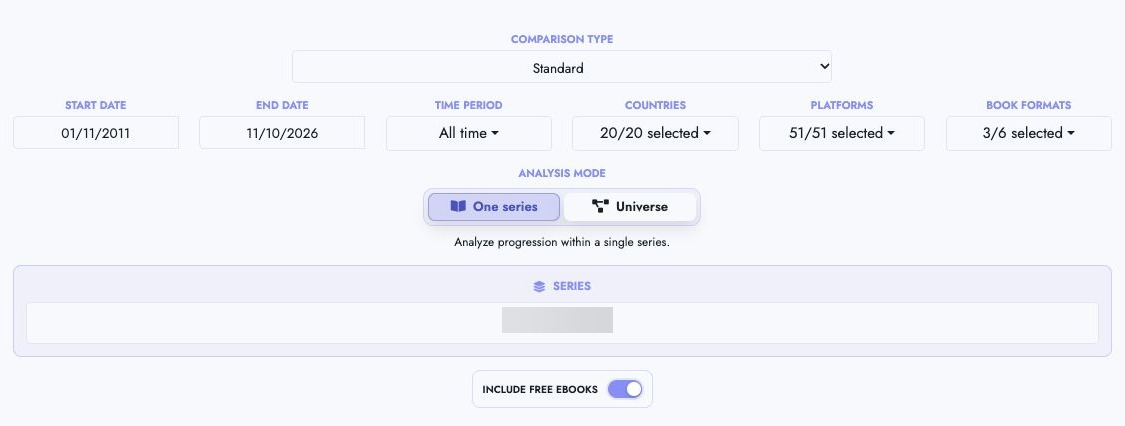
Comparison Type
Choose Standard to compare the same date range for every book, then select Apply filters.
Days Since Release
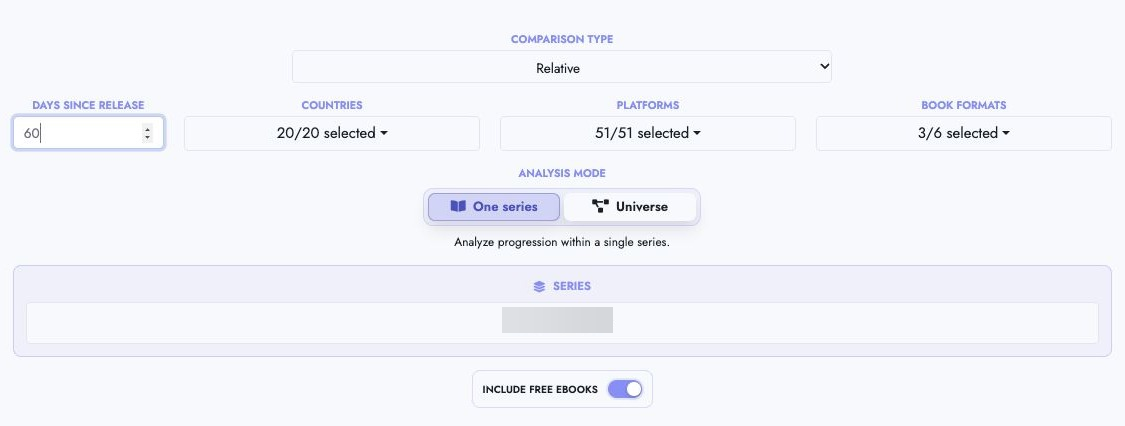
Choose Relative and enter the number of days after release to compare books at the same release age. Select Apply filters to load the results.
Include free eBooks
Use Include free eBooks to choose whether free ebook units count alongside paid units. The table shows paid and free units separately.

Book Formats
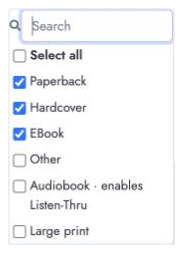
Open Book Formats to choose print, ebook, audiobook, or custom formats.
Listen-Through for audiobooks
When Audiobook is selected under Book Formats, Series Stats adds an Audiobooks section with Audiobook Units, Listen-Thru, and Cumulative columns.
Listen-Through = current audiobook units ÷ previous audiobook units × 100
Cumulative Listen-Through = current audiobook units ÷ first audiobook units × 100
Only audiobook editions participate in these comparisons. If a series position has no audiobook edition, Publisher Champ skips that position and compares the next audiobook with the previous included audiobook. If the relevant earlier audiobook has zero units, the percentage is shown as N/A.
Listen-Through does not change Sell-Through or Read-Through. Sell-Through continues to use included print and ebook units, while Read-Through continues to use estimated whole Kindle Unlimited reads. It also does not change Royalties Per Reader (RPR), which remains based on ebook sales and Kindle Unlimited reads.
Enabling audiobooks also adds two audiobook-only summary cards:
- Royalties Per Listener (RPL) divides total royalties from the included audiobook editions by units at the first included audiobook.
- Listen-Thru Revenue estimates the audiobook royalty value of one entry listener. For each audiobook, Publisher Champ multiplies cumulative listener reach (capped at 100%) by that audiobook's average royalty per unit, then adds the contributions.
Both cards respect the date, marketplace, platform, series, and row-exclusion filters. If the first included audiobook has no units, both values display as zero because there is no entry-listener denominator.
Listen-Through is based on audiobook units or credited consumption reported by connected platforms. It estimates progression between audiobook editions; it does not confirm that identified customers completed each audiobook.
Royalties per Reader
Royalties per Reader (RPR) estimates the royalties generated by a reader who enters a series at a selected book and continues through later books. This metric is also commonly called Earnings per Reader (EPR).
Publisher Champ calculates the total from a separate contribution for every included book:
Book contribution = cumulative reader reach × royalties per reader at that book
Total RPR = sum of all book contributions
The total RPR card gives you the headline value. The Royalties per Reader by Book section underneath shows the readers, royalties, reach, royalties per reader, and contribution used for each book.
Estimated readers
For each book:
Estimated readers = included units sold + whole KU borrows
Whole KU borrows are estimated as:
floor(KENP pages read ÷ KENPC)
This means raw estimated readers are whole numbers. If the optional mid-series starter model is enabled, the adjusted downstream reader count can be fractional because readers and royalties are reduced proportionally.
The Include free eBooks filter determines whether free units are included in the unit count. Use the same choice you use when evaluating how readers normally enter this series.
Royalties per reader
The royalties for each book are:
Total royalties = Book royalties + KU royalties
The per-reader value at that book is:
Royalties per reader = adjusted total royalties ÷ adjusted readers
The visible row stays compact. Select the button beside a book's metrics to see the complete calculation, including:
- Included units and whole KU borrows
- Book and KU royalties
- Original and adjusted readers and royalties
- Reader reach from the selected starting book
- The final RPR contribution
If an alias is saved for a book, Publisher Champ displays the alias; otherwise it displays the title. When several distinct titles or aliases share one series position, the first is shown and the others are available from the +N more popover.
Calculate from a different book
Use Calculate from → From Book # to model a reader entering partway through the series.
When you select a new starting book, Publisher Champ:
- Uses that book's estimated readers as the entry-reader denominator.
- Excludes earlier books from RPR.
- Recalculates the selected book and every later included book.
- Updates the contribution bars and total RPR.
This is useful for series with multiple natural entry points, spin-offs, or books that can be read independently.
Exclude mid-series starters
Exclude mid-series starters is optional and disabled by default.
When disabled, RPR uses all observed units and royalties. Reader reach can go above 100% when a later book has more readers than the preceding book.
When enabled, Publisher Champ treats the series as a funnel. If a later book has more readers than the preceding modeled book:
- The extra readers are removed from that book.
- That book's Book and KU royalties are reduced by the same proportion.
- The retained proportion is carried through all later books.
- Any additional downstream increase receives another proportional reduction.
Adjusted books display an Adjusted N% badge. Use that book row's calculation button to inspect the original and adjusted values.
Use this option when you want a conservative estimate of the value created by readers who appear to progress in order from the selected starting book. Leave it disabled when mid-series entry is a normal part of how the series is read.
Why can a book be excluded from RPR?
A book with zero included units and zero whole KU borrows has zero estimated readers. Royalties may still exist from partial KENP activity, but those royalties cannot be divided across a whole estimated reader and are excluded from RPR.
The row displays an Excluded pill. Hover over or keyboard-focus the pill to see the exact reason. The observed royalties remain available in the book's calculation popover, but its RPR contribution is zero.
RPR is based on aggregated units, page reads, and royalties. Amazon and other stores do not provide customer-level identities, so Publisher Champ cannot confirm that the same individual progressed from one book to the next.
Use RPR in Power Table
Power Table includes two related measures:
- Royalties per Reader shows the full, reader-weighted RPR for the series represented by the row. It always starts from Book #1 and leaves Exclude mid-series starters disabled.
- RPR Contribution shows the portion contributed by the books in the row. Add Book Title or ASIN as a dimension to see the exact per-book breakdown.
Power Table uses its Include free eBooks option when counting Book #1 readers. A series without Book #1, or whose Book #1 has zero estimated readers, returns zero. Royalties on a book with zero estimated readers are also excluded. When several series are grouped together, the result is weighted by their Book #1 reader counts; Publisher Champ does not average the individual series RPRs.
Sell-thru deep dive
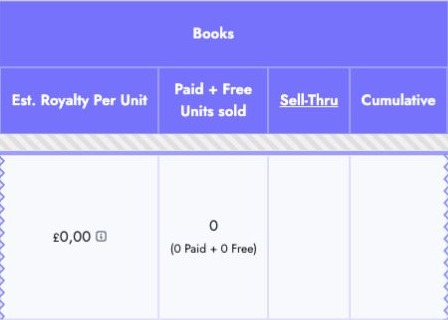
Est. Royalty Per Unit is book royalties divided by units sold. Sell-Thru compares the current book's units with the previous included book; Cumulative compares them with the first included book.
Read-thru deep dive
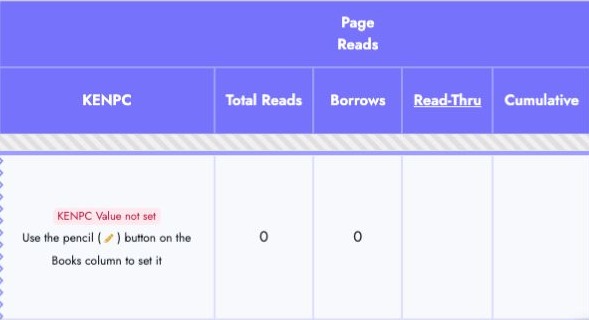
Borrows estimates whole KU reads from Total Reads and KENPC. Read-Thru compares borrows with the previous included book; Cumulative compares them with the first included book. Set missing KENPC values using the pencil beside the book's ASIN.
Potential Sell-Thru & Read-Thru revenue
These estimates now appear in summary cards above the table, alongside RPR and the profitable ACoS target.
